> ## Documentation Index
> Fetch the complete documentation index at: https://docs.reverieinc.com/llms.txt
> Use this file to discover all available pages before exploring further.
# Getting Started
> Reverie's TTS (Text-to-Speech) is a solution that turns text into lifelike speech, allowing you to create applications that talk in multiple Indic languages and build comprehensive speech-enabled products.
In this guide, you’ll learn how to automatically transcribe live streaming audio in real time using Reverie's SDKs, which are supported for use with the Reverie API.
Before you start, you'll need to follow the steps in the [Get your API
Credentials](/authentication) to obtain your API KEY & APP ID.
### Make your first Call
Make your first API Call using the cURL request. Add your own API Credentials where it says `` & ``
and then run the following example in a terminal or your favorite API client.
```bash cURL theme={null}
curl --location --request POST 'https://revapi.reverieinc.com/' \
--header 'REV-API-KEY: ' \
--header 'REV-APP-ID: ' \
--header 'REV-APPNAME: tts' \
--header 'speaker: hi_female' \
--header 'Content-Type: application/json' \
--data-raw '{
"text": "किसान होंगे आत्मनिर्भर, समृद्ध भारत"
}'
```
By default, the API will return the `WAV` audio file with a sampling rate of `22.05KHz`.
The audio file will contain the voice of the selected model saying the words that you sent in your request.
### SDKs
Reverie has several SDKs that can make it easier to use the API.
Follow these steps to use the SDK of your choice to make a Reverie TTS request.
### Install Dependencies
```bash JavaScript theme={null}
npm i @reverieit/reverie-client
```
```bash Python theme={null}
pip install reverie-sdk
```
### Generate audio from text
The following code shows how to generate Speech from the Text provided .
```javascript Javascript theme={null}
const ReverieClient = require("@reverieit/reverie-client");
const reverieClient = new ReverieClient({
apiKey: "YOUR-API-KEY",
appId: "YOUR-APP-ID",
});
try {
const audioBlob = await reverieClient.text_to_speech({
text: text,
speaker: speaker,
speed: speed,
pitch: pitch,
});
const audioUrl = URL.createObjectURL(audioBlob);
console.log("Audio URL is:", audioUrl);
} catch (error) {
console.error("Error:", error);
}
```
```python Python theme={null}
from reverie_sdk import ReverieClient
client = ReverieClient(
api_key="MY_API_KEY",
app_id="MY_APP_ID",
)
with open("./big_text.txt", encoding="utf-8") as f:
text = f.read()
for resp_idx, resp in enumerate(
client.tts.tts_streaming(
text=text,
speaker="en_male",
max_words_per_chunk=5,
fast_sentence_fragment=False,
)
):
print(f"{resp_idx:08d} {resp.duration:10.3f}")
resp.save_audio(
f".path/to/output/{resp_idx:08d}.wav",
create_parents=True,
overwrite_existing=True,
)
```
```go Go theme={null}
package main
import (
"bytes"
"fmt"
"io"
"net/http"
"os"
)
func sendRequest(payload string, filename string) {
url := "https://revapi.reverieinc.com/"
req, err := http.NewRequest("POST", url, bytes.NewBuffer([]byte(payload)))
if err != nil {
fmt.Println("Request creation error:", err)
return
}
// Set Headers
req.Header.Set("REV-API-KEY", "")
req.Header.Set("REV-APP-ID", "")
req.Header.Set("REV-APPNAME", "tts")
req.Header.Set("speaker", "hi_female") //Set Speaker
req.Header.Set("Content-Type", "application/json")
client := &http.Client{}
resp, err := client.Do(req)
if err != nil {
fmt.Println("Request error:", err)
return
}
defer resp.Body.Close()
// Create a file to save the response
file, err := os.Create(filename)
if err != nil {
fmt.Println("File creation error:", err)
return
}
defer file.Close()
// Copy response body to file
_, err = io.Copy(file, resp.Body)
if err != nil {
fmt.Println("File write error:", err)
return
}
fmt.Println("Audio saved as", filename)
}
func main() {
// Request 1: Plain text TTS
payload1 := `{
"text": ["भारत मेरा देश है।", "मेरी कंपनी का नाम रेवेरी लैंग्वेज टेक्नोलॉजीज है।"],
"speed": 1,
"pitch": 0,
"format": "WAV"
}`
sendRequest(payload1, "output1.wav")
// Request 2: SSML-based TTS
payload2 := `{
"ssml": " Hello. ",
"speed": 1,
"pitch": 0,
"format": "mp3"
}`
sendRequest(payload2, "output2.mp3")
}
```
### Results
In order to see the results from Reverie, you must run the application. Run your application from the terminal. Your transcripts will appear in your shell.
```bash JavaScript theme={null}
# Run your application using the file you created in the previous step
# Example:
npm start
```
```python Python theme={null}
# Run your application using the file you created in the previous step
# Example:
python main.py
```
```go GoLang theme={null}
// Run your application using the file you created in the previous step
// Example:
go run main.go
```
### Analyzing the Response
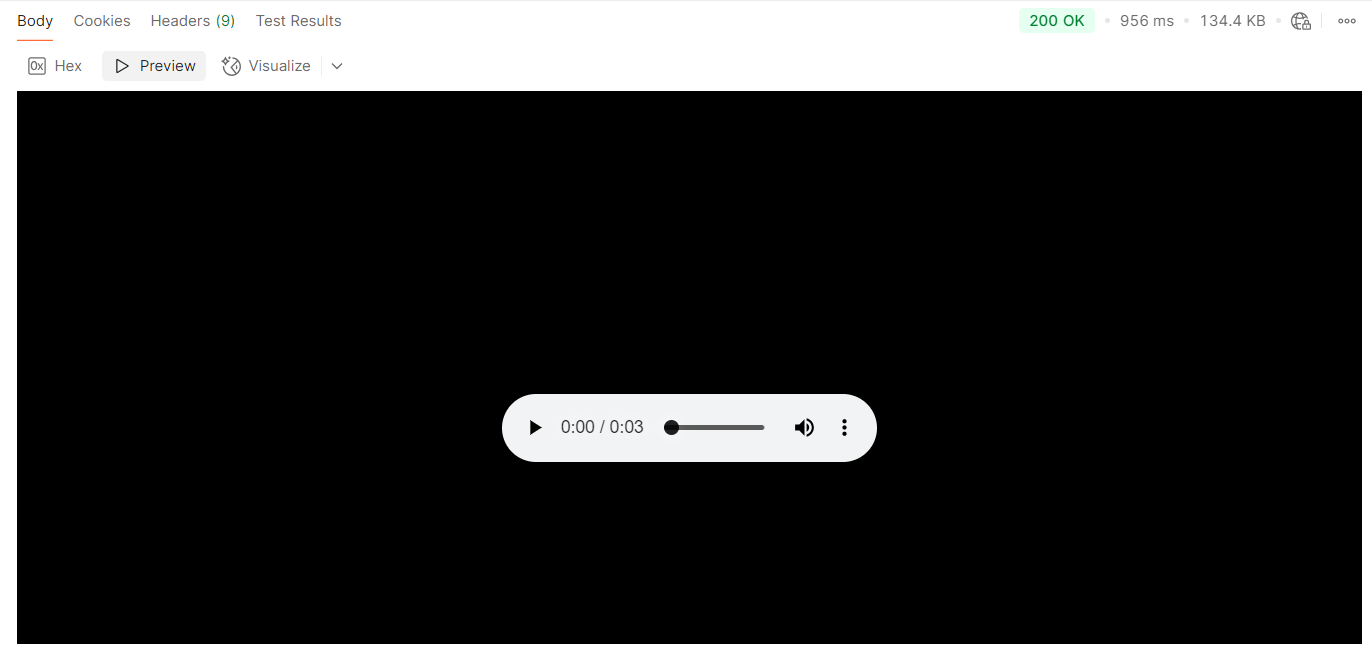 By default, the Reverie Text-to-Speech (TTS) API returns audio in the `WAV` format with a sampling rate of `22.05 kHz (22,050 Hz)`. This sampling rate is commonly used in speech synthesis,
offering a balance between audio quality and file size. You may play it to listen to the synthesized speech output and evaluate its clarity, naturalness, and suitability for your application.
By default, the Reverie Text-to-Speech (TTS) API returns audio in the `WAV` format with a sampling rate of `22.05 kHz (22,050 Hz)`. This sampling rate is commonly used in speech synthesis,
offering a balance between audio quality and file size. You may play it to listen to the synthesized speech output and evaluate its clarity, naturalness, and suitability for your application.